
Work your job search like a pipeline.
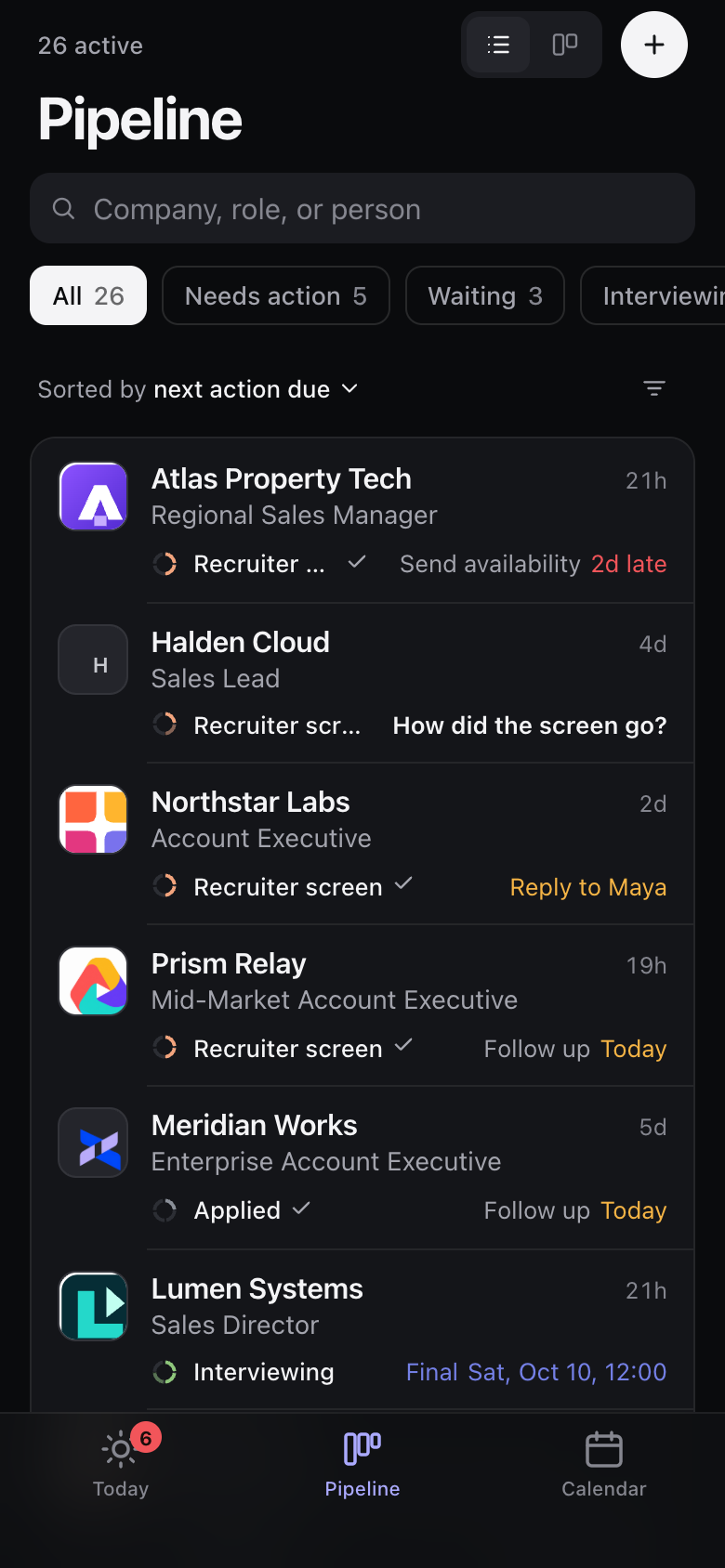
You already know how to work a pipeline. Evallo gives your search one: every role on one board, with the next step on each, so you can run it while you still carry a number.
7-day Pro trial. No credit card required.
Stay on your number. Know when your search needs you.
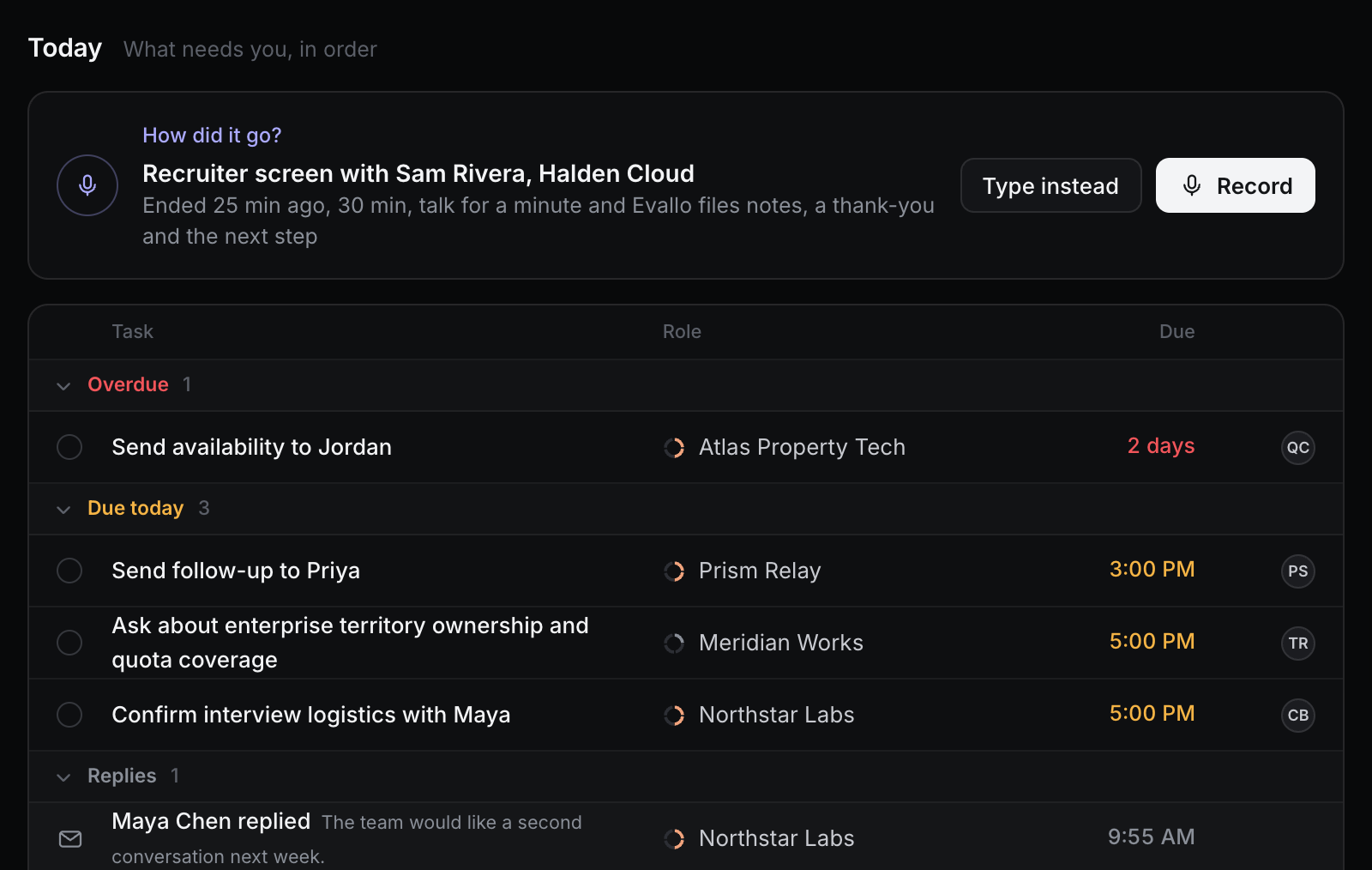
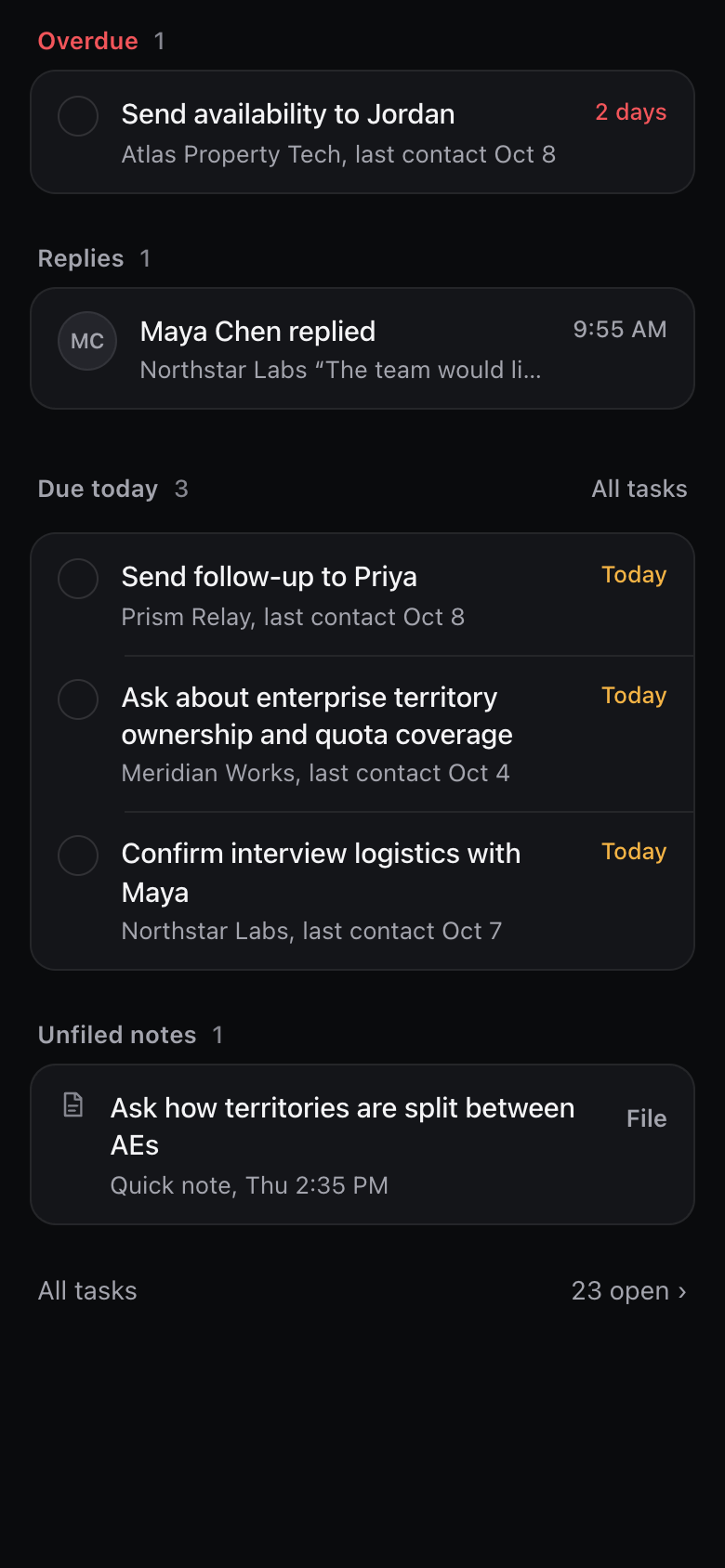
Evallo holds your search, so it isn't in your head while you work. When you have a minute, open Today and see exactly what needs you, in order: the call to debrief, what's late, what's due. Nothing else.
- Late items first, then today, then what's next
- A role that has gone quiet gets a follow-up
Keep every role straight without a spreadsheet.
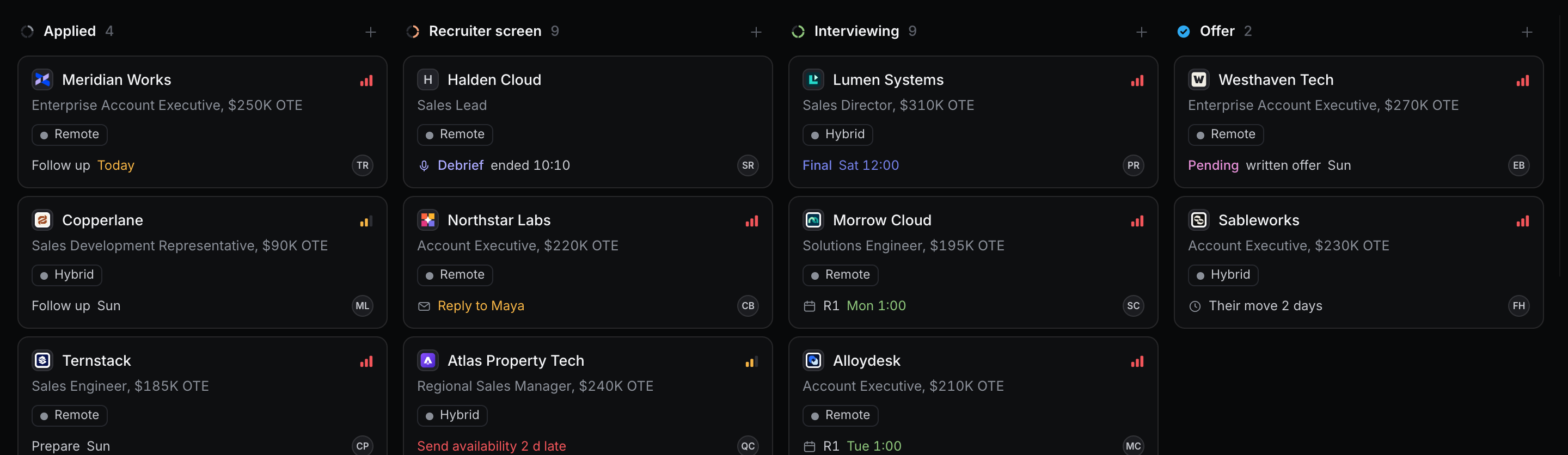
Each role sits on one board from Applied to Offer, with its pay, its recruiter and its next date on the card. You can see which ones need you before you open any of them.
- The ring on each card fills as the role moves forward
- Mark the roles that matter most as high priority
- Close a role out with how it ended. It keeps its history.
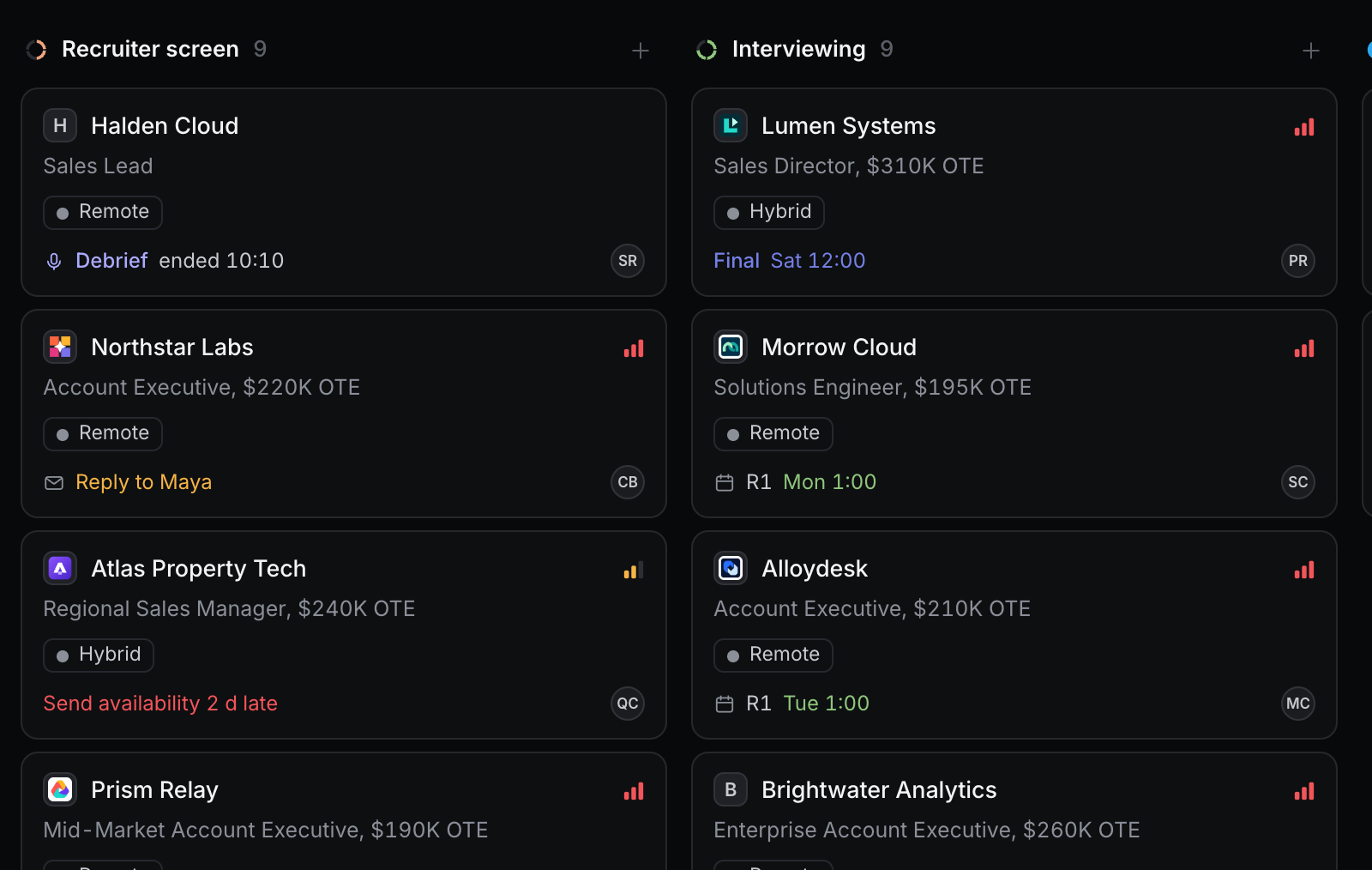
Remember what each recruiter told you, and what you still need to ask.
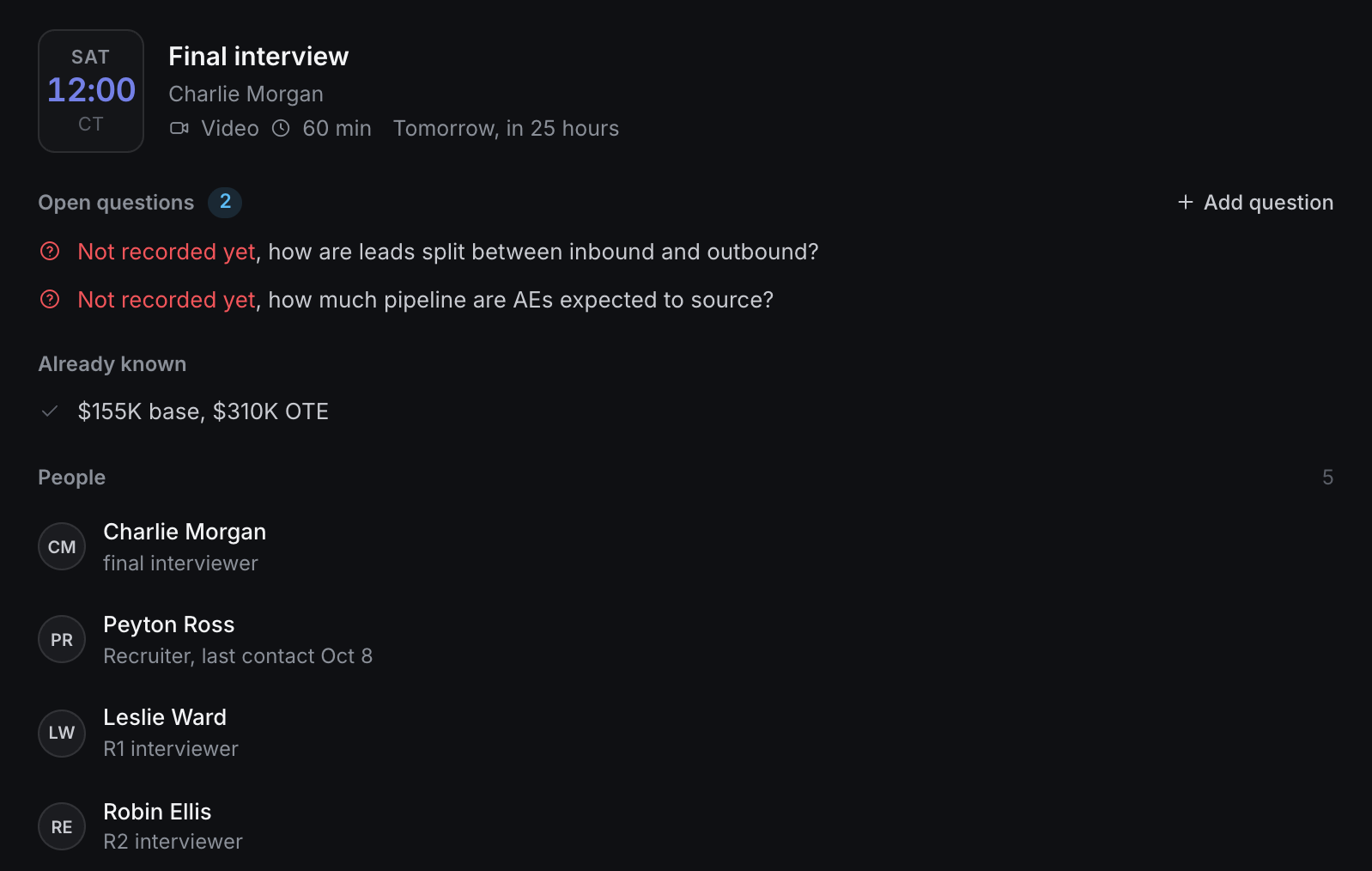
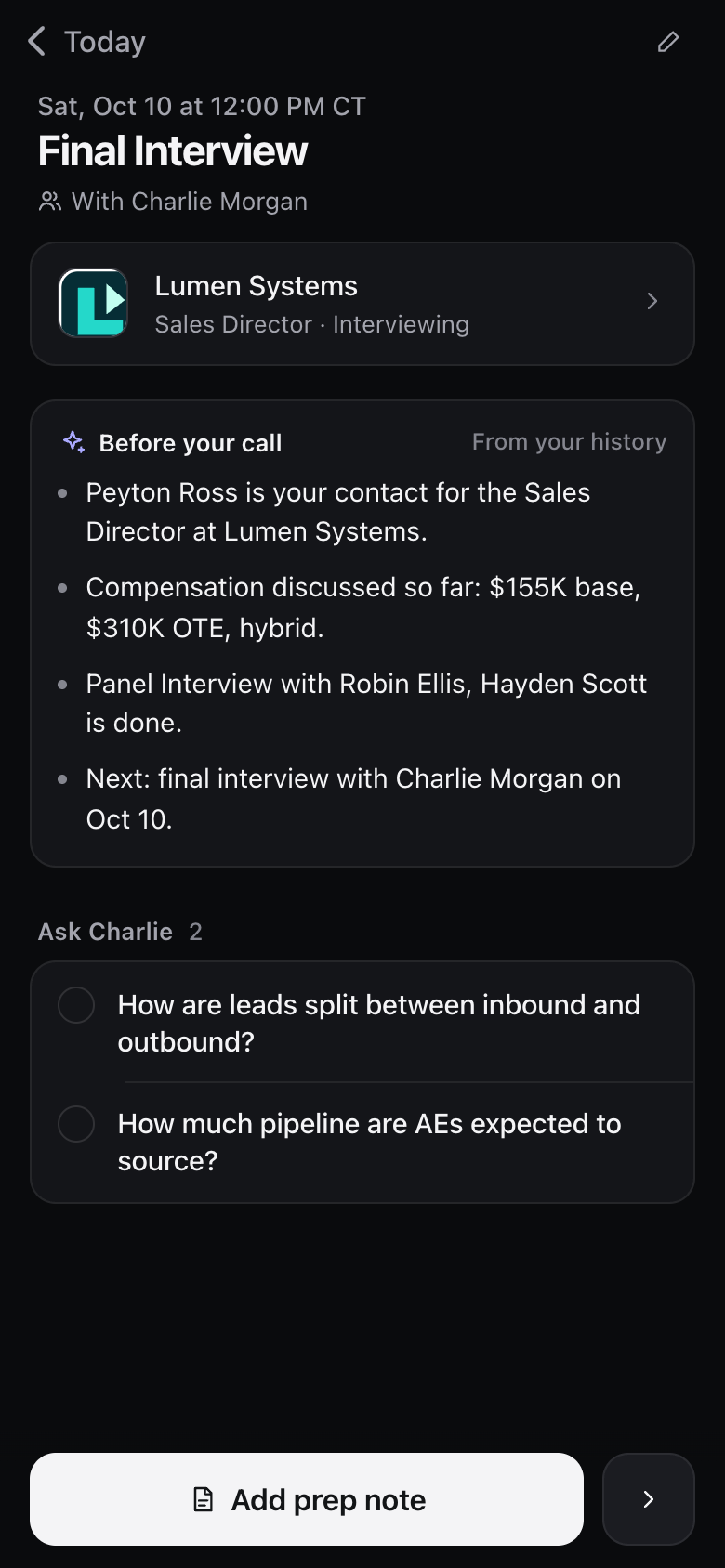
Before an interview, the briefing brings together what you've already learned about the role and the questions you haven't asked yet, from your own notes.
- Questions still open are marked Not recorded yet
- Everyone you've met for the role, and who they are
- After a call, Evallo suggests the question to ask next time. You add it or dismiss it. Pro
Weigh an offer on more than the base.
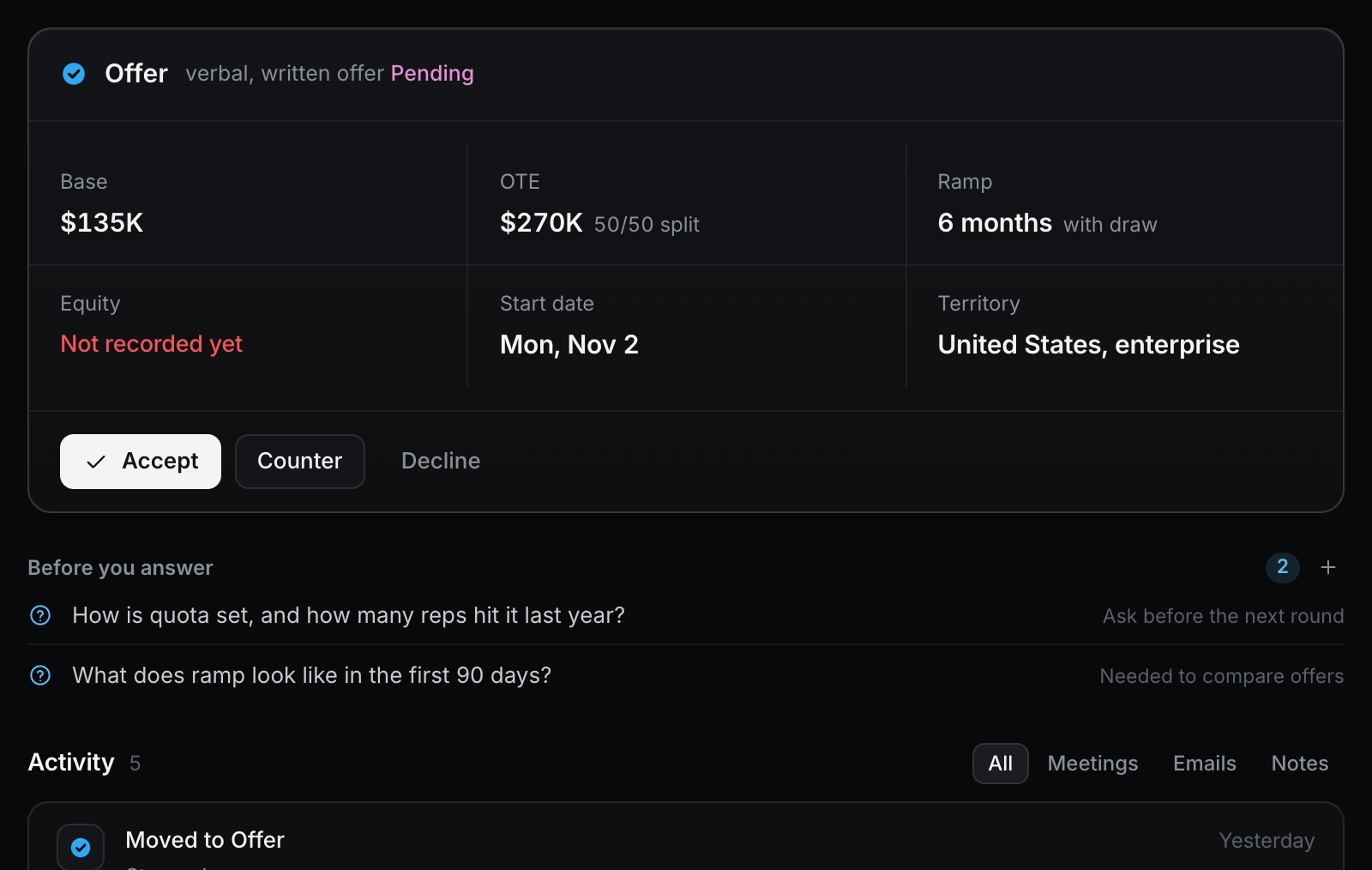
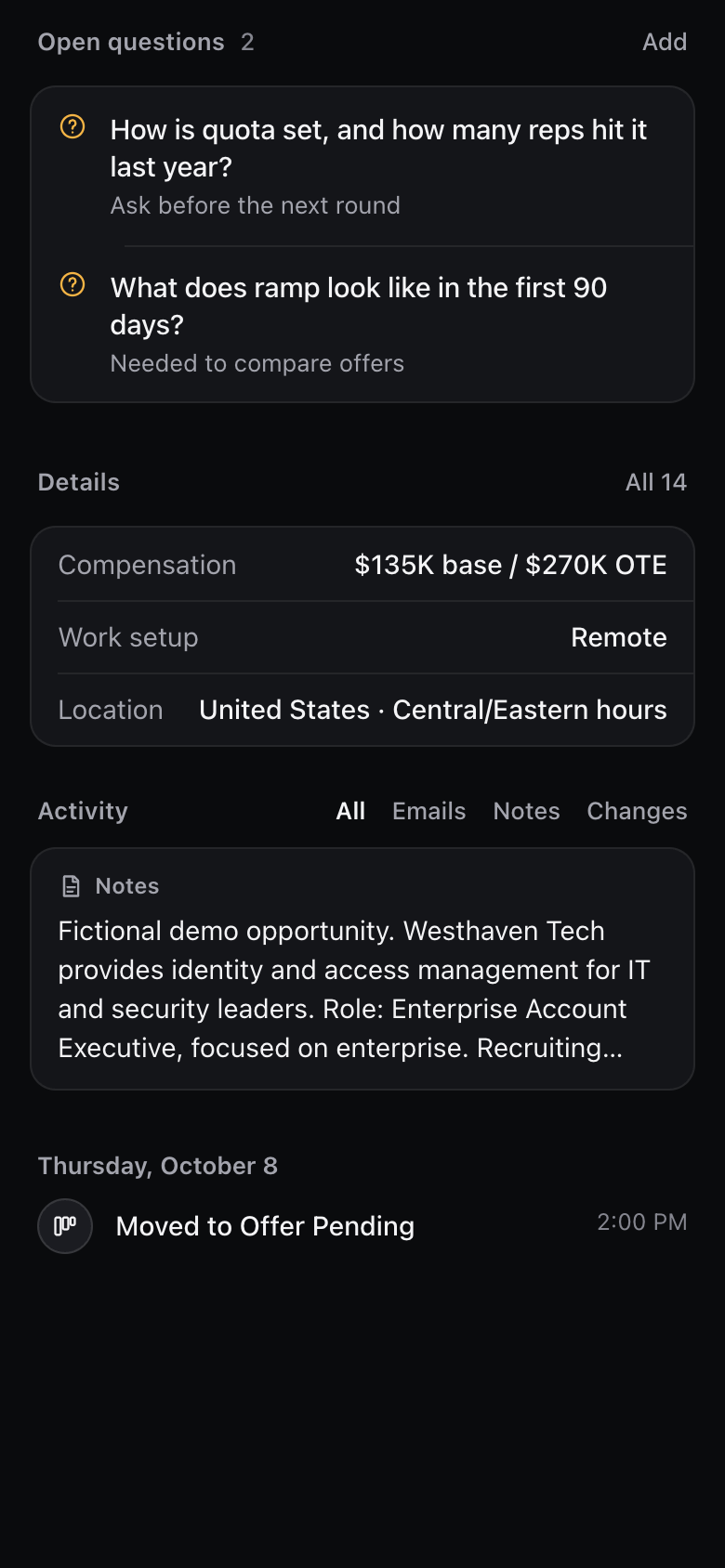
Each offer keeps the base, OTE and split, ramp and draw, equity, start date and territory in one place, with what you still need to find out before you answer.
- Anything missing, like equity, shows as Not recorded yet
- The questions to settle first, like how quota is set
Who can see my opportunities and notes?
Only you. Your workspace is private to your account.
Does Evallo find jobs or apply for me?
No. Evallo organizes the opportunities you're already pursuing: conversations, interviews, follow-ups and offers.
Does AI save anything without my review?
No. AI suggestions wait for your approval before anything is saved.
What happens after the 7-day trial?
You keep a free Starter plan. Nothing is charged unless you choose a paid plan.
Can I use it on my phone?
Yes. Evallo works in your phone's browser and can be added to your home screen.